Cursor for Marketing: What It Actually Does (And the Marketing-Native Alternative)
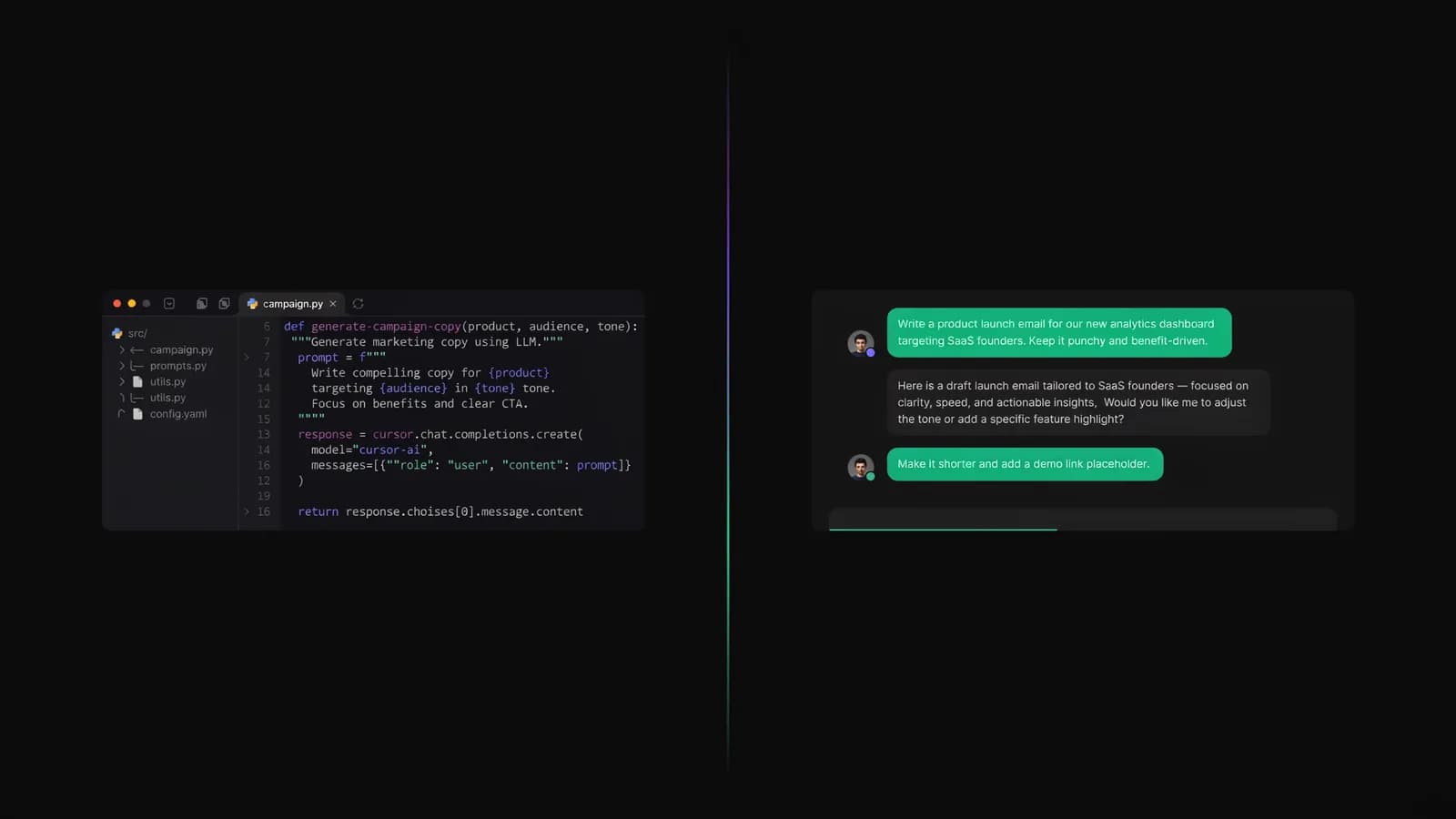
You have seen Cursor everywhere. Marketers swear by it. Here is what they do not tell you about the setup cost, the learning curve, and what you actually get out the other end.
Cursor is getting recommended in every marketing thread right now. But it was designed for software engineers — not campaign managers. The teams that actually stuck with it have a very specific profile. Yours might not match.
Your competitors who "use Cursor for marketing" are mostly running Python scripts they don't fully understand, hitting API bills they didn't budget for, and rebuilding the same automations every quarter because no one documented them. Your stack is probably similar to theirs — a mix of tools that almost integrate, a Claude subscription you're underusing, and a growing list of things you want to automate but haven't had time to figure out. The appeal of Cursor is real. A code editor with an AI that writes and runs code on command sounds like exactly what marketing operations needed. The question isn't whether Cursor is powerful. It's whether that power is actually accessible to your team without a developer on call.
What Is Cursor and Why Marketers Are Trying It
Cursor is a code editor — a fork of VS Code — with AI deeply embedded into the workflow. It uses models like Claude 3.5 Sonnet and GPT-4o to help you write, edit, debug, and run code through conversation. You describe what you want, and Cursor writes the code.
The reason marketers started paying attention is simple: vibe coding. The idea that non-developers could build useful tools through natural language prompts spread quickly across marketing Twitter and LinkedIn in 2025. Cursor became the tool of choice for developers who wanted AI assistance, and marketers caught on — hopeful that the same approach would work for them.
It does work. Sometimes. For specific people, with specific skills, and with realistic expectations about what "no-code" actually means when you're working inside a code editor.
What Cursor Can Actually Do for Marketing (With Real Examples)
Cursor for marketing is not a fantasy. People are using it to build genuinely useful things. Here is what's actually happening in practice:
Bulk content generation scripts — You can build a Python script that takes a spreadsheet of product names and outputs SEO-optimized title tags, meta descriptions, or first-paragraph drafts at scale. One script, hundreds of rows, done in minutes instead of hours.
Custom SEO crawlers — Marketers with Cursor have built lightweight crawlers to audit their own sites for broken links, missing alt text, or header tag issues. Tools like Screaming Frog cost $200+/year. A Cursor-built crawler can handle the basics for the cost of your Claude API usage.
Email sequence automation — You can script conditional email flows that pull from CRM data, apply audience segmentation logic, and generate personalized copy variants. Cursor can help you build the logic that most ESPs charge enterprise pricing for.
Reporting dashboards — Connecting Google Analytics 4 to a custom Looker Studio alternative is a common Cursor use case. Pull the API, format the data, build the chart — all inside one conversation thread.
Social scheduling scripts — Batch-generate caption variants, apply UTM parameters, format posts per platform — then push to a scheduling tool via API. Cursor handles the assembly.
The pattern is consistent: Cursor excels at taking repetitive, data-heavy tasks and automating them with code. If you can describe the logic clearly, Cursor can write the script.
The catch is also consistent: every single one of these use cases requires you to understand what the code does, how to run it, and how to fix it when it breaks.
There's also a range of difficulty here that most tutorials skip. Getting Cursor to generate a script that runs once is genuinely easy — you can do it in under an hour with no coding background. Getting that script to run reliably against live data, handle edge cases, and stay functional after API updates is a different project entirely. Most marketers who succeed with Cursor long-term are operating somewhere between junior developer and very technical marketer. If you're further from that profile, the gap shows up quickly.
The Real Cost of Cursor for Marketing
This is where most "Cursor for marketing" conversations go quiet. The Cursor homepage shows a $20/month plan. That's not the number you should budget around.
Here's what a realistic marketing automation stack actually costs:
Tool | Plan | Monthly Cost |
|---|---|---|
Cursor | Pro Plus (daily use) | $60 |
Claude API (Anthropic) | Pay-as-you-go | $20–$80 |
Firecrawl (web scraping) | Starter–Standard | $16–$83 |
Perplexity Pro (research) | Pro | $20 |
Total | $116–$243/mo |
The $20/month Cursor Pro plan exists. It covers casual use with limited Claude requests. The moment you're running content automation pipelines or building anything that makes repeated API calls, you hit the ceiling. Pro Plus at $60/month gives you higher usage limits and priority access to the better models — that's the tier that reflects daily marketing use.
Add the Claude API (which bills separately from your Cursor subscription), a scraping tool if you're pulling competitor data, and a research tool for your AI-assisted briefs, and your "affordable automation stack" lands between $100 and $400 per month before you've hired anyone or built anything that runs reliably.
That's not an argument against using these tools. It's an argument for knowing the actual number before you commit.
Teams, by the way, cost even more. Cursor Teams is $40/user/month — so a two-person marketing team is looking at $80/month just for Cursor, plus shared API overhead. The $200/month Ultra plan (Cursor's top tier, launched in 2025) is designed for power users running long autonomous agent sessions. You probably don't need it for marketing work. But it signals where the pricing ceiling is.
One cost you won't see on the pricing page: your time. Learning Cursor well enough to build reliable marketing automation takes 20–40 hours for most people who come from a non-development background. That's not wasted time — but it's a real commitment that doesn't show up in any pricing comparison.

Where Cursor Falls Short for Marketing Teams
Cursor is a coding tool. That's not a criticism — it's the most important thing to understand before you decide whether it belongs in your stack.
You need to be comfortable with code. Or you need to spend significant time learning. Cursor's AI writes the code, but you debug it, run it, and maintain it. When a script breaks because an API changed its response format, you need to understand enough to fix it. Many marketers who try Cursor spend the first month generating scripts they run once, never touch again, and then can't modify six weeks later.
No native marketing features. Cursor has no keyword research. No campaign structure. No SERP analysis. No CMS integration out of the box. No brand voice guardrails. No approval workflow for your team. Every marketing-specific capability you want has to be built from scratch or bolted on via API.
Not designed for team collaboration. Your dev team and your marketing team have very different workflows. Cursor lives in a terminal-adjacent environment. Your content strategist, your paid media manager, and your SEO analyst are not going to open a code editor to run the automation you built for them. You become the bottleneck — the single person who understands how the tool works.
API costs compound. The more you automate, the more your usage grows, the more you pay. There's no flat rate for "unlimited marketing automation." This isn't a problem if your automations are efficient and well-scoped. It becomes a problem when you're experimenting and running the same script 40 times to tune it.
Maintenance overhead is real. Scripts break. APIs change. Models get updated. What worked in January may not work in April. Someone has to own that maintenance — and in most marketing teams, that person doesn't exist yet.
Cursor vs. Allable.ai — The Marketing-Native Alternative
The agentic marketing movement that Cursor rides is legitimate. AI agents that execute multi-step marketing tasks autonomously — research, write, optimize, report — are genuinely changing what small marketing teams can accomplish. The question is whether you access that power through a code editor or through a platform built for marketing from the start.
Allable.ai was built for the second option. Here's how the two compare:
Cursor | Allable.ai | |
|---|---|---|
Type | Code editor (VS Code fork) | AI marketing platform |
Best for | Developers automating marketing tasks | Marketing teams running AI-native workflows |
Starting price | $20/mo (Pro) / $60/mo (Pro Plus daily use) | Free / Pro ~$34/mo (€31) |
Code required | Yes — to build, run, and maintain | No — natural language throughout |
Marketing-native features | None (must be built) | SEO, content, campaigns, analytics built-in |
AI models | Claude, GPT-4o (via subscription + API) | Claude, GPT-4o (included in plan) |
Team collaboration | Dev-first environment | Designed for marketing teams |
Total monthly cost (realistic) | $116–$243+ (stack) | $0–$98 (all-in) |
Setup time | Days to weeks | Minutes |
The core difference is what you're buying. Cursor sells you the ability to build marketing tools. Allable.ai sells you the marketing tools themselves, already built, accessible through conversation without a single line of code.
If you're a developer who does marketing work on the side — Cursor is excellent. If you're a marketing team looking for AI-powered SEO and content capabilities without engineering overhead, a platform built for your workflow will get you further, faster, for less.
Frequently Asked Questions
Is Cursor free for marketing use?
Cursor has a free Hobby plan with limited AI usage. It's enough to experiment with — you can generate simple scripts and test basic automations. For any serious marketing use, you'll need the Pro plan at $20/month or Pro Plus at $60/month. Add API costs for Claude and other tools, and your realistic monthly cost is $100–$243+.
Do you need to know how to code to use Cursor for marketing?
You need enough coding knowledge to run scripts, understand error messages, and maintain what you build. Cursor's AI writes code for you through conversation — but when that code breaks (and it will), you need to diagnose the problem. Most marketers who don't have a coding background find the learning curve steeper than they expected. "Vibe coding" lowers the floor, but it doesn't eliminate it.
What does Cursor actually do for marketing teams?
Cursor helps you build custom automation scripts — bulk content generation, SEO crawlers, email sequence logic, data pipelines, and reporting tools. It's most useful when you have a repetitive, data-heavy task that no existing SaaS tool handles exactly the way you need. It's not a replacement for marketing platforms — it's a tool for building workarounds and custom integrations.
How much does a full Cursor marketing setup cost per month?
A realistic Cursor stack for active marketing use runs $116–$243/month: Cursor Pro Plus ($60), Claude API ($20–$80), a scraping tool like Firecrawl ($16–$83), and optionally Perplexity Pro ($20). Heavy automation workflows can push this to $300–$400+/month. The $20/month Cursor Pro plan is accurate for light, occasional use — not for a team running daily pipelines.
What's the best Cursor alternative for marketing teams?
If your goal is agentic, AI-driven marketing — running SEO research, generating content, analyzing competitors, and building campaign strategy — without requiring code, Allable.ai is the direct alternative. It offers the same underlying AI models (Claude, GPT-4o) with marketing-specific workflows built in. Pro plan is ~$34/month (€31), Business is ~$98/month (€91). There's also a free plan to start.
Cursor is a genuinely powerful tool. It can help you build marketing automation that doesn't exist off the shelf, at a cost that beats most enterprise SaaS. But it asks something significant in return: your time, your willingness to learn code, and your tolerance for maintenance.
If that trade-off works for you — go build. If you want the same AI-native marketing capability without the engineering overhead, Allable.ai starts free and grows with your team.